Search This Blog

Tuesday, March 29, 2011

Hal9000 Windows 7 Theme


Turn your Windows 7 desktop into Hal 9000 from Stanley Kubrick's landmark science-fiction movie2001: A Space Odyssey with this terrific theme pack, contributed to Windows 7 Themes.net by dw-wizard. Released in 1968, the collaboration between Kubrick and Arthur C. Clarke initially received mixed reviews--but the movie and its sentient computer now have a permanent place in American culture. Hal, in particular, has a special place in the subconscious of many people who, like me, watched the movie at an impressionable age.
Load up Hal9000 and you get wallpaper that recalls the fictional computer's interface plus appropriate icons, cursors, and sounds. I particularly like the sound effects, which include clips from the movie (empty the Recycle Bin, for example, and Hal says "I feel much better now, I really do").
If you enjoy classic science fiction, this theme pack is definitely worth the download. (And if you like Hal9000, you might also want to check out our Blade Runner Windows 7 theme.)
Note: To install the Windows 7 theme, just unzip the archive file and double-click the themepack within. Windows does the rest.

Hal9000 Windows 7 Theme

  • Downloads Count: 411
  • License Type: Free
  • Price: Free
  • Date Added: Mar 24, 2011
  • Operating Systems: Windows 7
  • File Size: 2152 KB
  • Author: Windows 7 Themes.net

LATEST IPHONE APP COLLECTIONS


LATEST IPHONE APP COLLECTIONS

Four Reasons To Avoid the BlackBerry PlayBook

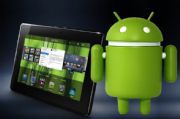
Android apps will run on the PlayBook, but within a run-time environment within an app.
The BlackBerry PlayBook will soon move from vaporware to the real world. The seven-inch tablet will be available April 19 in 16GB, 32GB, and 64GB models that match the price ofequivalent Apple iPad 2 models at $500, $600, and $700. The parity of storage capacity and price makes for a somewhat level playing field in comparing the two, so here are a few reasons that stand out to steer clear of the BlackBerry PlayBook.
Size- While the two tablets may seem evenly matched you're paying the same amount for a smaller device with the PlayBook. It's like going to a restaurant and having them tell you that the medium drink, and the large drink are both the same price--wouldn't you get the large drink? There are those, however, who consider the seven inch tablet to be a virtue--lighter and easier to work with one-handed. I'm just not one of them. I don't agree that those factors are worth sacrificing display size.
The jury is still out and there is plenty of passionate debate over whether the tablet can fill the role of mobile computingplatform in place of a notebook PC. With a tablet like the iPad 2 or Xoom, there is at least enough screen real estate totake on some productivity tasks, but a tablet like the BlackBerry PlayBook is more like an oversized smartphone than a slim notebook and is too small to accomplish much more than you can with many smartphones.
3G Wireless- The BlackBerry tethering feature is sort of cool--being able to sync email and use the PlayBook as a larger external display for a BlackBerry smartphone (although not much larger as we just got done talking about). However, with the PlayBook, tethering with a BlackBerry smartphone isn't just a feature, it's a necessity. The initial PlayBook models will only be equipped with Wi-Fi, and will be unable to sync data with a BlackBerry Enterprise Server at all. Tablets like the iPad 2 and Xoom also come in 3G models with cellular networking to connect in areas where no wireless network is available.
Email- The PlayBook doesn't do email. Using BlackBerry Bridge to tether the PlayBook with a BlackBerry smartphone will allow some email functionality by enabling the smartphone connection with BES to pass through to the tablet. As for email outside of BES, RIM suggests using the Web to get to it--like logging into Outlook Web Access. An update is planned for later this year which will supposedly give the PlayBook the ability to connect to BES natively, and possible expand other email options, but for a tablet aimed primarily at business users this wonky email setup is a severe handicap.
Apps- RIM won some bonus points with the announcement that the BlackBerry PlayBook will be able to run Android apps. Kudos. However, Android as a platform has only fraction of the apps available for Apple's iOS. If you break it down based on apps that are actually designed for the tablet as opposed to the smartphone, the gap is even wider in favor of the iPad. I know that the majority of app pitches I get are aimed at the iPad, and when I inquire about other platforms Android is on the radar, but has to wait a few months because it's a lower priority.
The Android apps won't run natively either, which could lead to performance issues. The Android apps will run in an a separate environment within an app player which can be downloaded from BlackBerry App World. The PlayBook will also run BlackBerry apps, but there are even fewer of those.
In many ways, the PlayBook seems more on par with the Atrix 4G laptop dock than with other tablets. It has more functionality than the Atrix 4G as a standalone mobile device, but when it comes to critical functionality the RIM tablet relies heavily on the BlackBerry smartphone.
If you have a BlackBerry smartphone, there are some cool features in the PlayBook and you should at least check it out--but, I believe that other tablets still present a much better value. If you don't have a BlackBerry smartphone, don't even think about getting a PlayBook tablet.

How an iOS 5 Delay Could Muck up the iPhone 5 Launch


Rumor has it that Apple will delay iOS 5, the upcoming version of its iPhone operating system, until the fall, but that would make the iPhone 5 a tough sell if it still launches this summer.
Here's how the iPhone and iOS launches worked last year: Apple announced major changes to iOS in April, including multitasking, app folders, and a unified inbox. Then in June, Apple announced the iPhone 4 at the Worldwide Developers Conference. Both the iPhone 4 and iOS 4 arrived later that month.
This year, Apple may push iOS 5 back to the fall, two anonymous sources told TechCrunch. But if the iPhone isn't delayed along with iOS, Apple might not have much to talk about when it launches the iPhone 5.
Sure, you can expect some hardware improvements. The rumor mill is guessing at a bigger screen, thesame A5 dual-core processor found in the iPad 2 and possibly near-field communication for making payments from the phone (or perhaps not). But as Apple itself has argued, speeds and feeds aren't that important anymore. These days, it's all about the user experience, and new iPhones are as much about the software as they are about the hardware.
Take a look at the current feature page for the iPhone 4. One of the most prominently advertised features is multitasking, which is part of iOS 4 and not tied to the iPhone 4 specifically. Software was an even bigger emphasis for the iPhone 3GS, whose old product page mentioned voice control, a compass, copy and paste and a landscape keyboard as major selling points.
That's why I'm skeptical of TechCrunch's claim that Apple will launch the next iPhone with iOS 4.x, saving a more substantial software upgrade for the fall. Without a new OS, the iPhone 5 will lack new features for Apple to advertise, and it's just not Apple's style to release a product with an IOU for unreleased benefits.
Some earlier reports suggest that Apple will hold off on the iPhone 5 until the fall, which to me seems likely if iOS 5 will be delayed as well. There are also rumors of a cheaper, possibly smaller iPhone that would launch separately from the iPhone 5. Maybe that's what we'll see in the summer. At this point, it's anybody's guess, but one thing's certain: If Apple launches the iPhone 5 without a software update to match, it'll be a big letdown.

Monday, March 28, 2011

Budget Advisor


Budget Advisor provides a simple to manage your money. Not feeling in control of your finances can be scary. Budget Advisor puts you back in the driving seat by allowing you to easily see where your money is going each month. Once you know what is happening with your money you can find way to pay off your debt and start saving.Budget Advisor will let you import your statements, saving you time. Powerful reporting will let you see exactly what is happening with your money.Budget Advisor works in any currency.


Read more: Budget Advisor - Free software downloads and software reviews - CNET Download.com http://download.cnet.com/Budget-Advisor/3000-2057_4-10054291.html?tag=rb_content;main#ixzz1HwF6V4Ea

iPad 2 sells out internationally


After launching Friday in 25 countries outside the U.S., Apple's iPad 2 was already sold out by Saturday afternoon across major markets, according to several reports.
(Credit: Apple)
The long lines of iPad 2 buyers in the United Kingdom apparently scooped up all the available stock from Apple's stores and other retail outlets throughout the country.
Speaking with Apple stores in Regent Street and Covent Garden areas in London, the Web site Pocket-Lint found that supplies were depleted on Saturday with no more stock expected yesterday and no indication of new iPad 2s today. The situation was generally the same at other major retail chains in London, including PC World, Curry's, Phones4U, and Carphone Warehouse.
Outside of London, Apple stores in such areas as Birmingham, Manchester, and Bristol also ran out of the tablet, while a sales rep told Pocket-Lint that there's no iPad 2 stock at all in the whole area of South West England.
Looking at Canada, Electronista found that several of the Apple stores across the country as well as outlets such as Best Buy and Future Shop had run out of the new iPad. And in Australia, the iPad 2 also sold out over the weekend at Apple stores and third-party retailers, according to the Australian.
France saw a similar situation, according to Fortune, with one shopper at Apple's Opera Store in Paris saying that more than 3,000 iPad 2s were sold in just five hours, with the store eventually running out by late Saturday afternoon. The French Web site MacBidouille said that the first eager buyers waited in line for 30 hours.
Prospective iPad 2 buyers in the United States have run into the same long lines and depleted stock since the tablet's launch in mid-March. But the tablet's online availability recently eased a bit. Online wait times for the tablet in the U.S. shrunk last week to three to four weeks from four to five weeks.


Read more: http://news.cnet.com/8301-13579_3-20047858-37.html#ixzz1HwDuCKMO

5 Reasons Your Computer Is Slowing Down...


5 Reasons Your Computer Is Slowing Down

Is your PC slowing down and you just don’t know what to do? Well, don’t worry! We are going to throw light on the top 5 causes of slow computer problems and what you can do to prevent them.

        Â

Reasons # 1: Virus and Spyware Infections
With computers being connected to the Internet 24 X 7 these days, malware programs, such as virus, Trojans, worms, spyware and adware have become major threats for computer users. These malicious programs infiltrate your system through unprotected Internet connections, spam e-mails, infected external media and many other sources. Once your PC is infected, you may notice a drastic fall in its performance. You may also notice several PC errors, and at times, it may become impossible for you to even work on your computer at all. To prevent infiltration of these malicious programs and to clean your computer from any infections, it is essential for you to install security tools, such as antivirus and antispyware on your PC. You must schedule these tools to run on a regular basis and also keep them updated with the latest definitions to ensure that you are protected against the latest viruses.
Reasons # 2: Damaged and Fragmented Registry
The registry is one of the most hard working components of your Windows operating system because it stores all hardware, software, and user configuration information within it. As your PC gets older, the registry gets filled up with loads of unwanted, outdated, and invalid information that causes registry bloating. A bloated registry easily gets damaged and fragmented, and as a result can slow down your PC. To prevent problems due to a cluttered registry, you must regularly scan and clean your registry. You can do this easily with the help of a reliable registry cleaner tool.
Reasons # 3: Filled Up and Fragmented Hard Disk
When you create new files, add new programs, browse the web or perform other activities on your system, information is added or removed from the hard disk. Quite often, your computer activities leave behind information on the hard disk in the form of orphan program files and folders, temporary Internet files, no-longer-required program setup files, and loads of other such data. This unwanted data unnecessarily fills up the hard disk and causes data fragmentation. To prevent these problems, you must uninstall unwanted programs from the system and use the Disk Cleanup utility to get rid of all unwanted files and folders. It is also essential to regularly use the Disk Defragmenter tool to consolidate broken files and speed up data access time.
Reasons # 4: Too Many Startup Programs
Many times, when you install programs on your computer, they add their shortcuts to the startup list, so that some of their services load in the background when your PC is turned on. These programs unnecessarily eat up system recourses and cause your system to slow down. This is the reason why, it is recommended that you disable these unwanted startup programs. You can do this easily with the help of the Windows System Configuration Utility (msconfig) or by using a reliable third-party startup program management utility.

Reasons # 5: Less System Memory
As you install new programs and more high-end software on your PC, the hardware requirements of the system increases. This is the reason why, to speed up your PC you may need to upgrade your system requirements. By doing this, you can considerably enhance the performance of your PC by increasing the system memory or RAM.